
Since 2018, Blockstream Explorer has focused on answering the one question that matters most: did my transaction go through? Now, we’re expanding the explorer’s scope. We’ve rebuilt it to highlight richer data and provide greater context of the network, all presented in a reimagined user interface.
The Network at a Glance
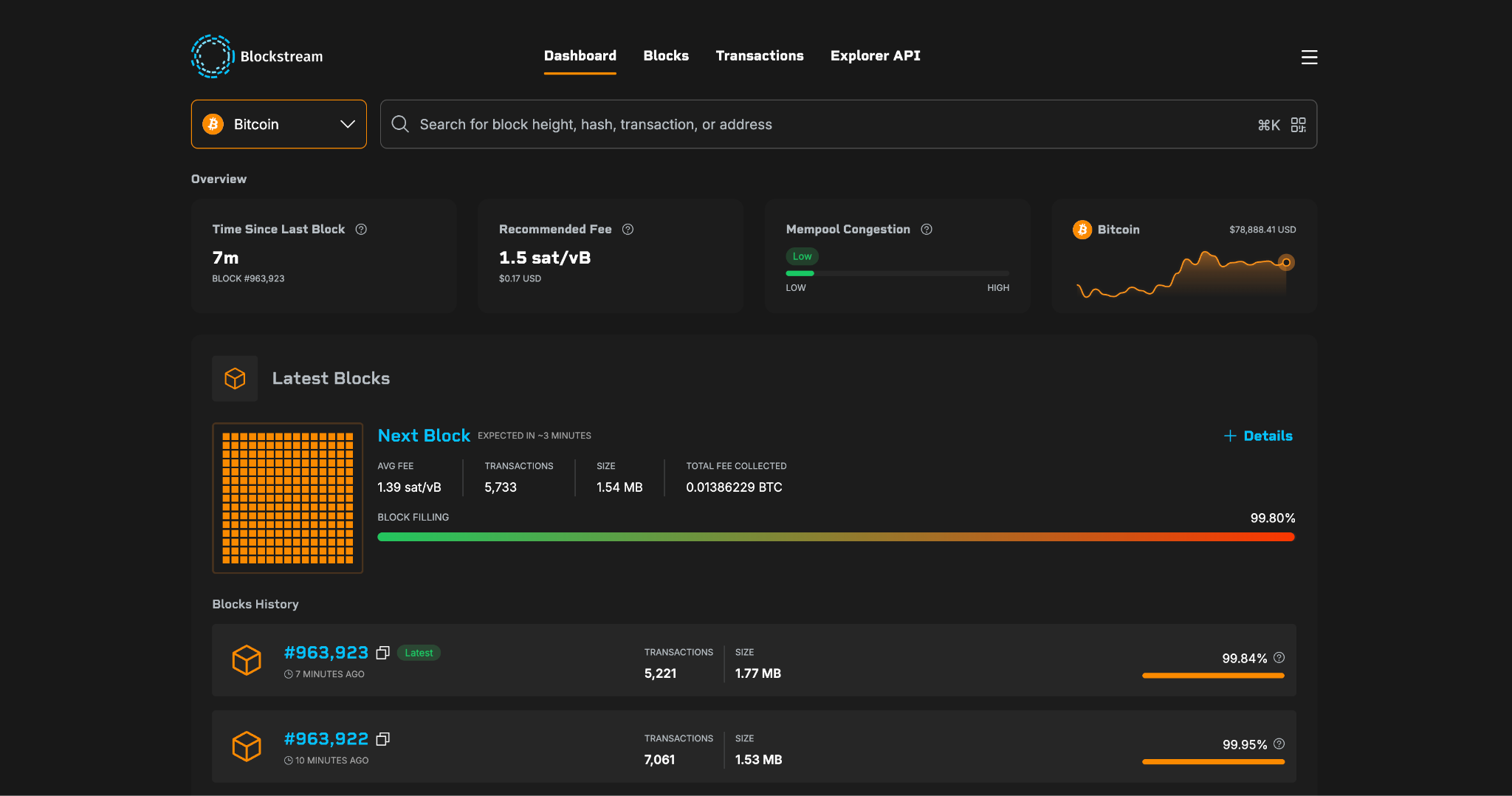
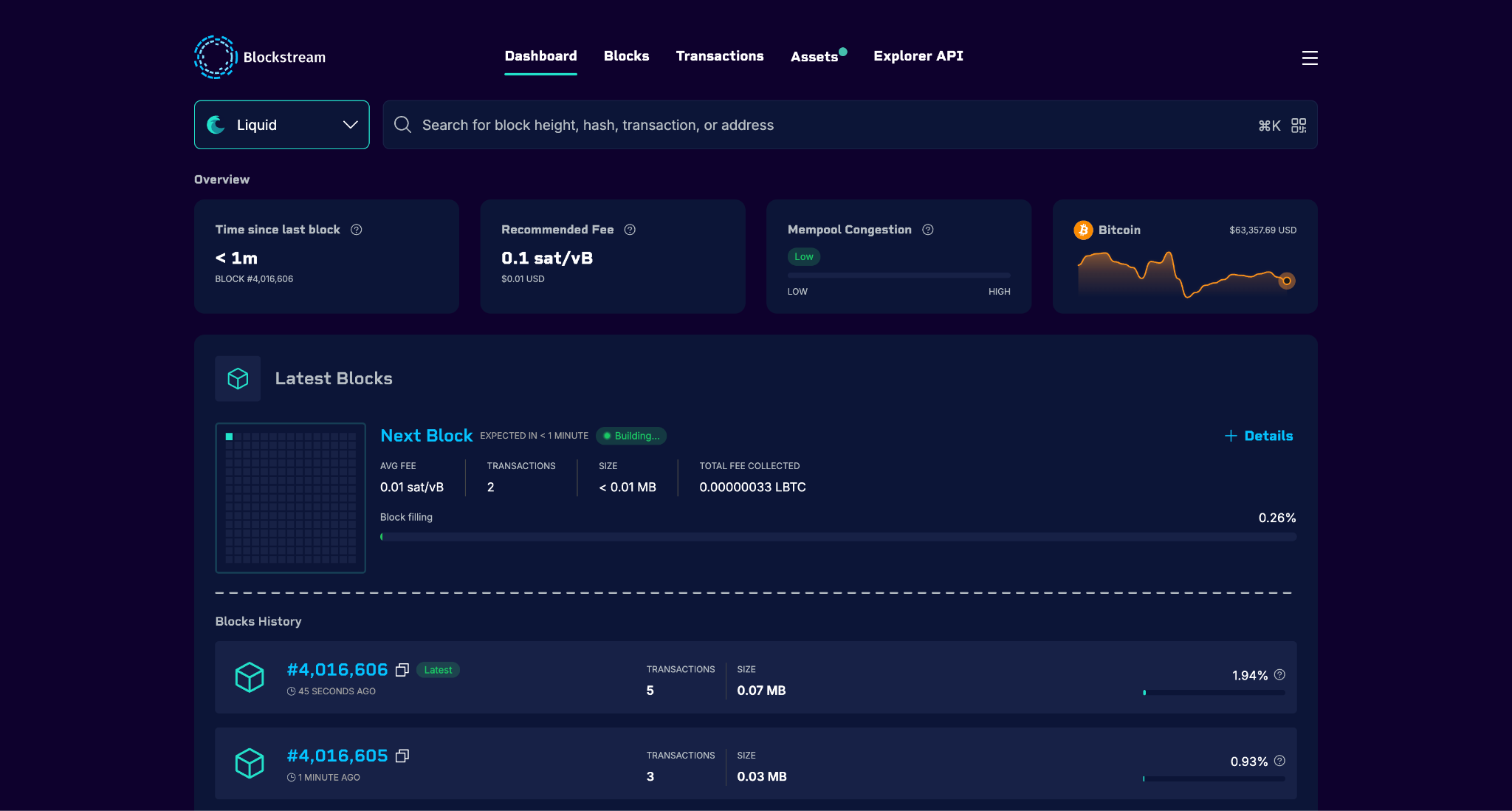
The new dashboard leads with the four things people check first: time since the last block, the recommended fee, mempool congestion, and the Bitcoin price chart.
Congestion reads as a gauge, so how busy the network is lands immediately, whether or not you know what a vMB is. Fee rates carry their dollar value alongside sat/vB, low, average and high, and total fees collected in a block appear in both BTC and dollars, accurate to the cent.
The same four cards head every network the explorer covers, so the read is identical whichever one you are on.
Watch the Next Block Fill
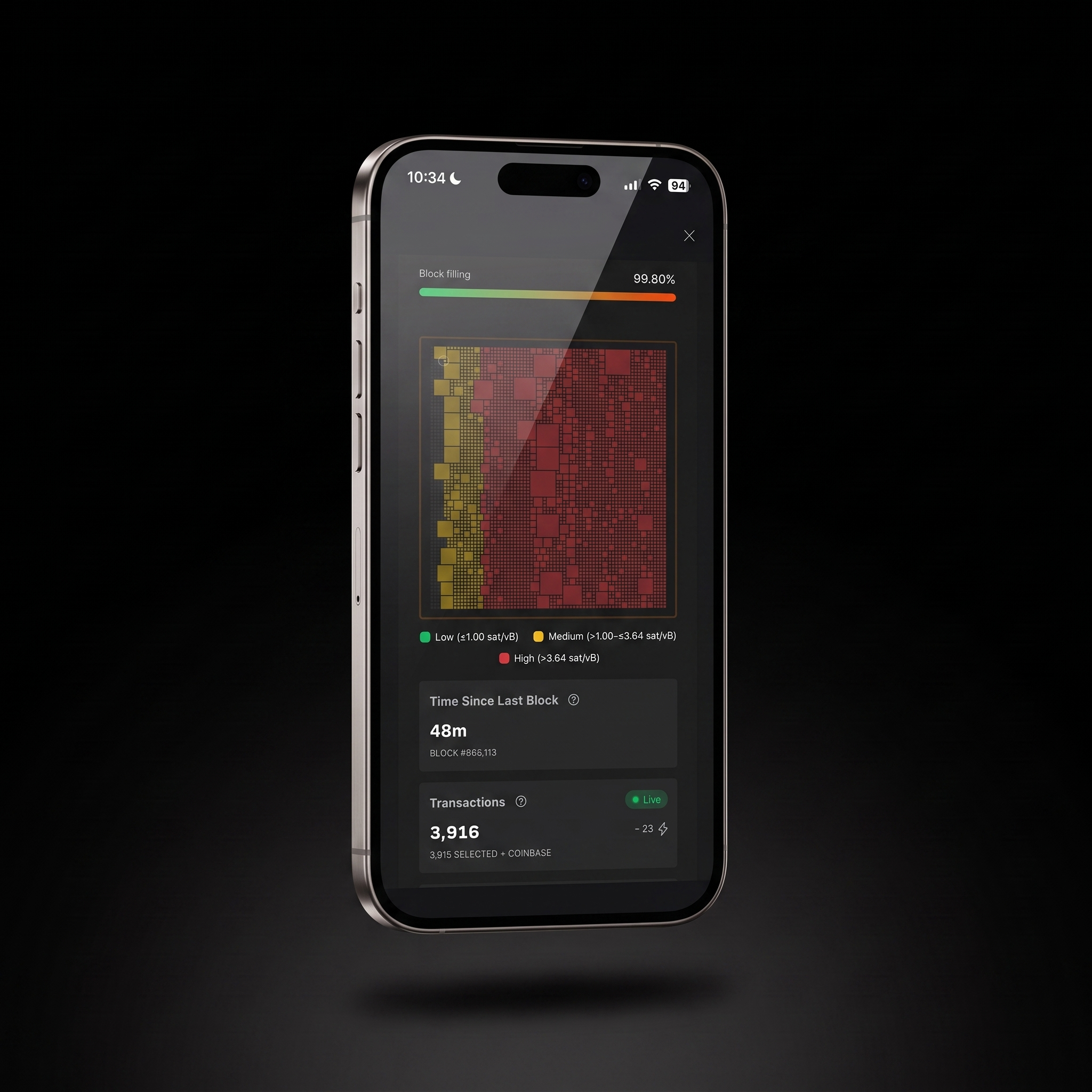
Timing a send takes less guesswork. The next block is a live visual, every pending transaction a tile sized by its virtual size and colored by fee band, low, medium and high, with the thresholds published.
Hover any tile for the transaction ID, the fee in sats, the fee rate, and the virtual size. Around it: the count of transactions selected, total fees collected so far, the split between SegWit and Legacy, block weight and size against their limits, and the number of transactions pending in the mempool.
Watch the block being built, and see where your fee would land in it.
Every Transaction, Checked
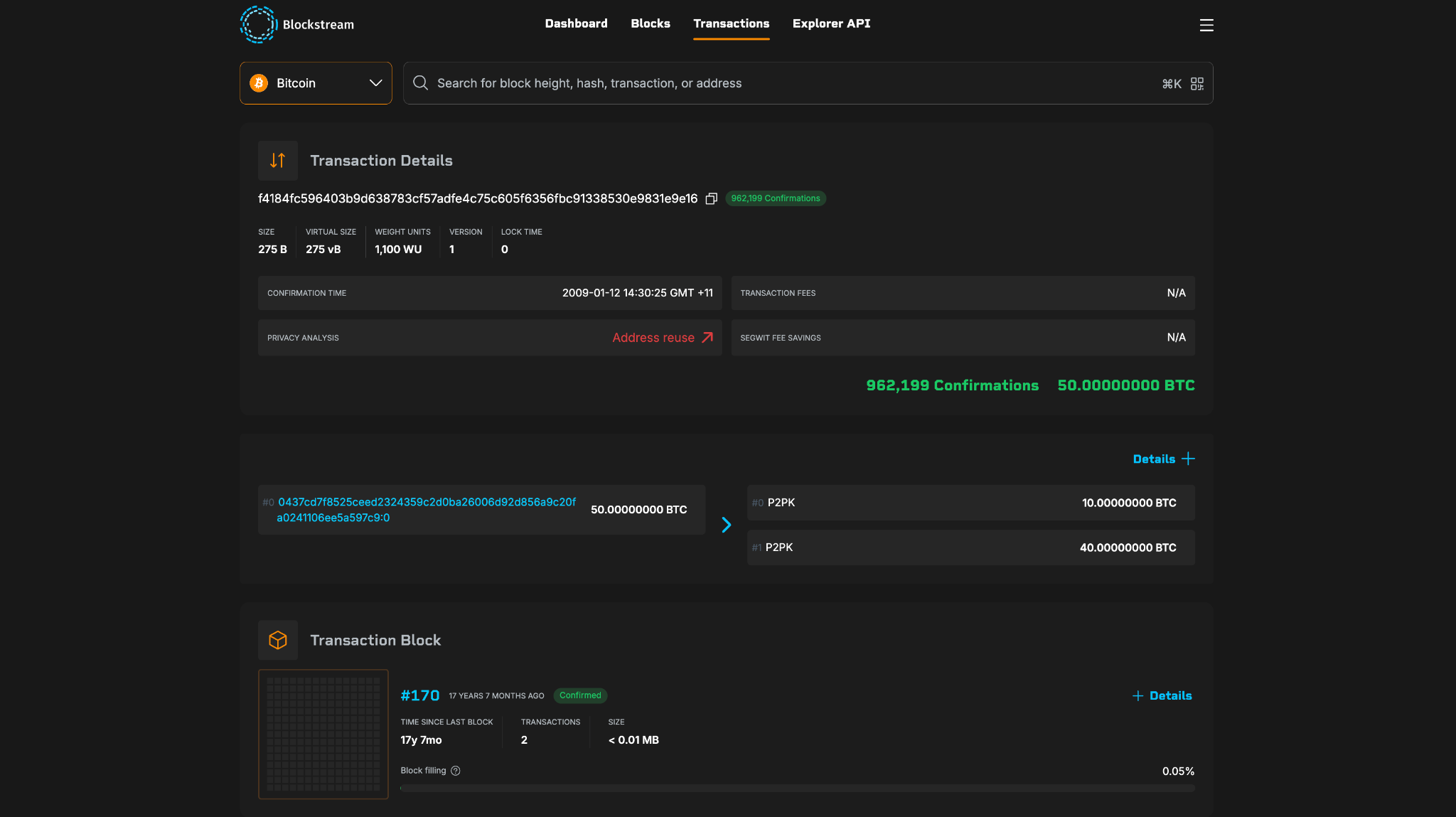
Open a transaction and the page tells you what it means, not only what it contains.
Size, virtual size, weight units, version, and lock time sit across the header with the confirmation count. SegWit fee savings put a number on what a transaction would have saved on a native SegWit or a P2SH address, which on an older transaction can run well past half the fee paid.
Privacy analysis runs on every transaction and names what it found, address reuse and likely self-transfers among them, so a leak shows up on the page.
Unconfirmed transactions carry an ETA for the expected confirmation time and the number of blocks ahead.
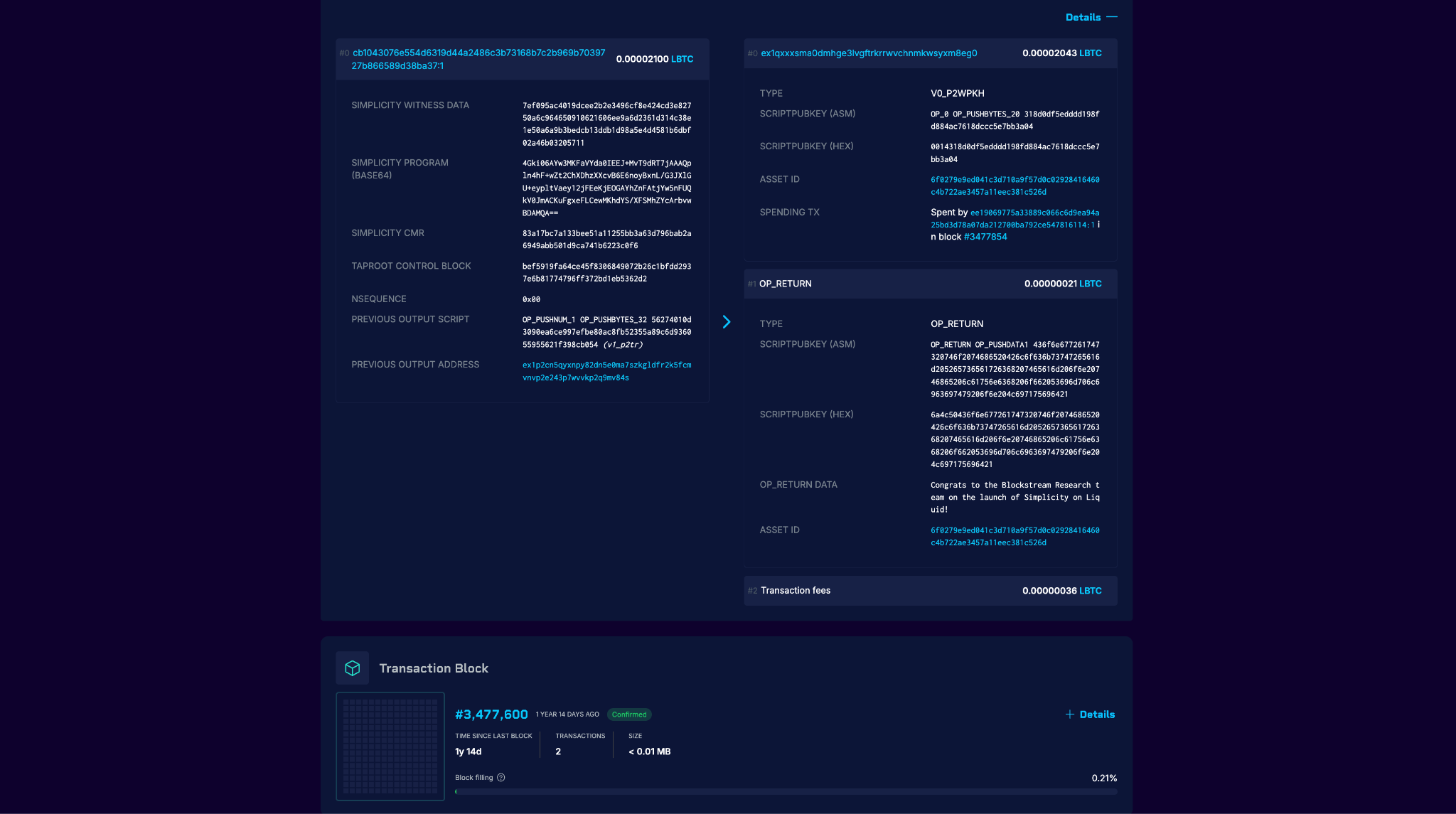
None of the technical depth went anywhere. Witness data, nSequence, scripts in assembly and hex, and forward links from spent outputs to the transaction that spent them are all still a click away.
Mining, Difficulty, and the Next Adjustment
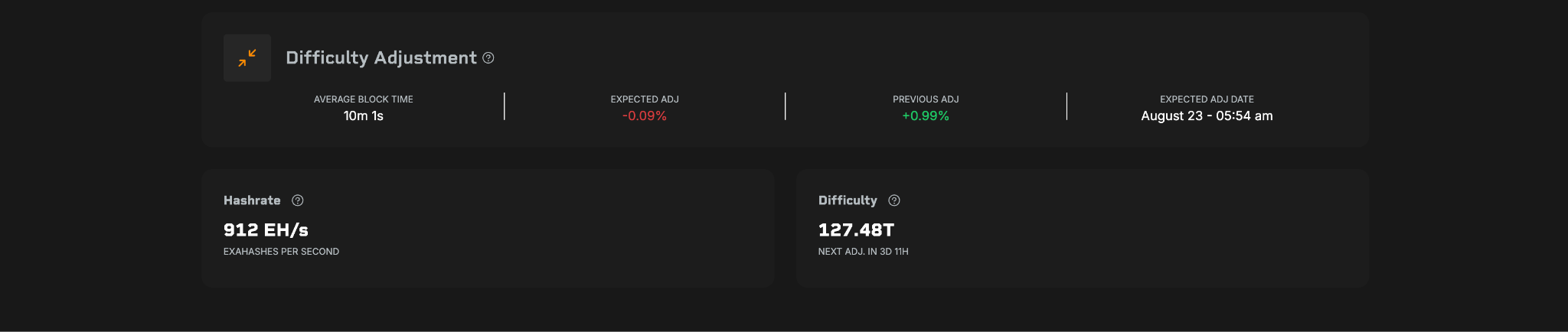
The foot of the Bitcoin dashboard covers mining. Hashrate, the current difficulty, and the adjustment coming up: how far it is expected to move, what the last one did, and the date it lands.
Average block time is the figure worth watching. Run above ten minutes and difficulty drops at the next adjustment, and blocks speed back up. Anyone timing a large send or planning around confirmation times can see that shift coming rather than meet it on the day.
This one is Bitcoin only. Liquid blocks are produced by the federation on a fixed schedule, so there is no difficulty to track.
Blocks, Transactions, and Search
Search returns what you asked for. A block height, a hash, a transaction, an address or an asset all resolve from the same box, and land on the page you meant.
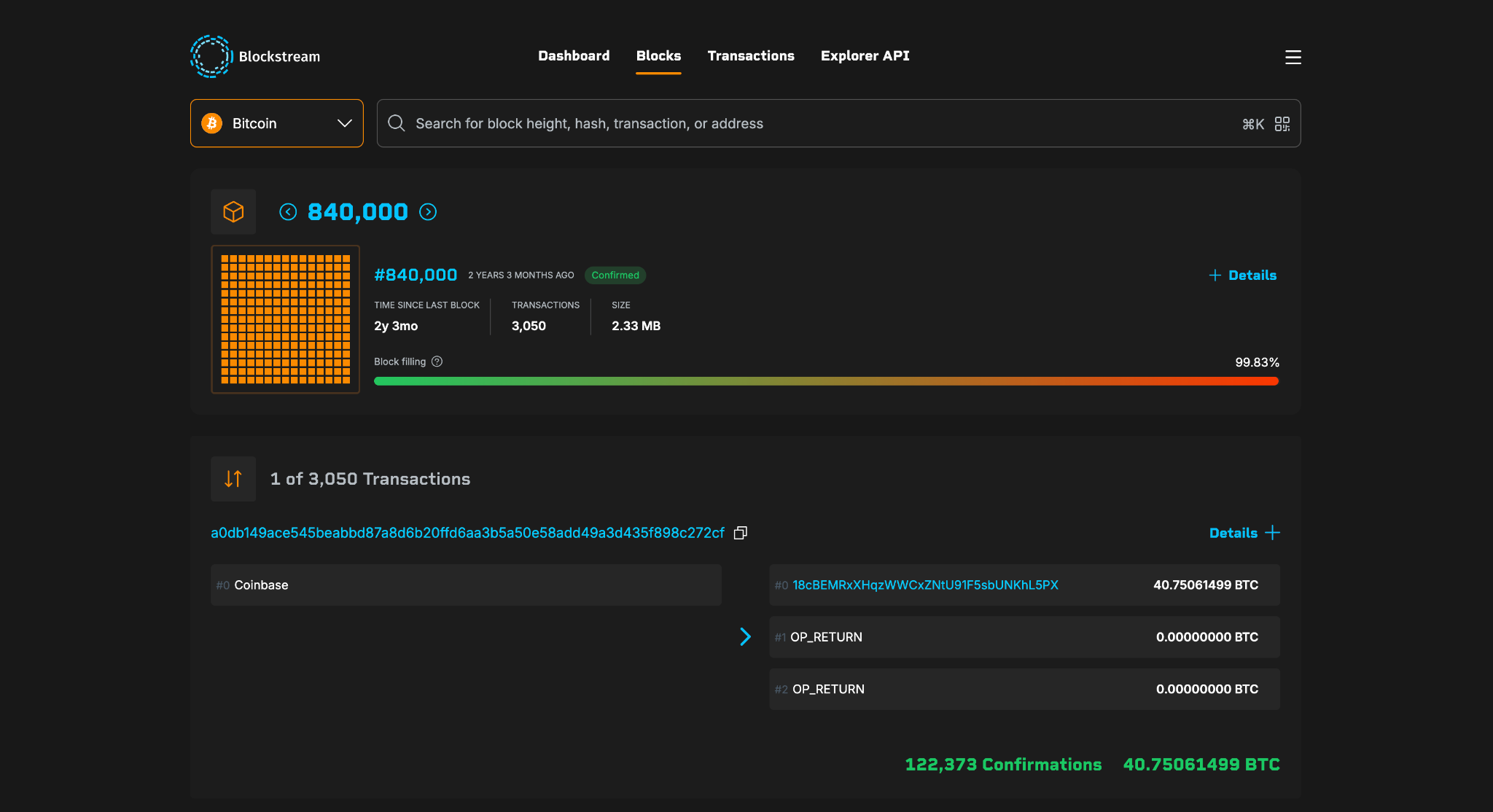
A mined block opens on the block itself: how full it came out against the weight limit, its size, its transaction count and a visual of the whole thing. Open Details for block weight and virtual size against their limits, version, nonce, merkle root and the block hash, with the full transaction list underneath.
Fee bands, the SegWit and Legacy split and the state of the mempool belong to the block that has not been mined yet, so they live on the dashboard with the next block rather than on a block already settled.
Short explanations sit beside the figures on both, so anyone meeting weight units or a merkle root for the first time can find out what they are without leaving the page.
Address pages carry the same depth: total received and spent, unspent outputs, the full transaction history, and a QR code for the address itself.
A Full Liquid Dashboard
Anyone holding a Liquid asset, issuing one, or weighing up either can now read the health of the network in a single view.
High-value assets sized by circulating supply against the price feed, LBTC in circulation, transactions per month, and the latest transactions as they land, all on one page.
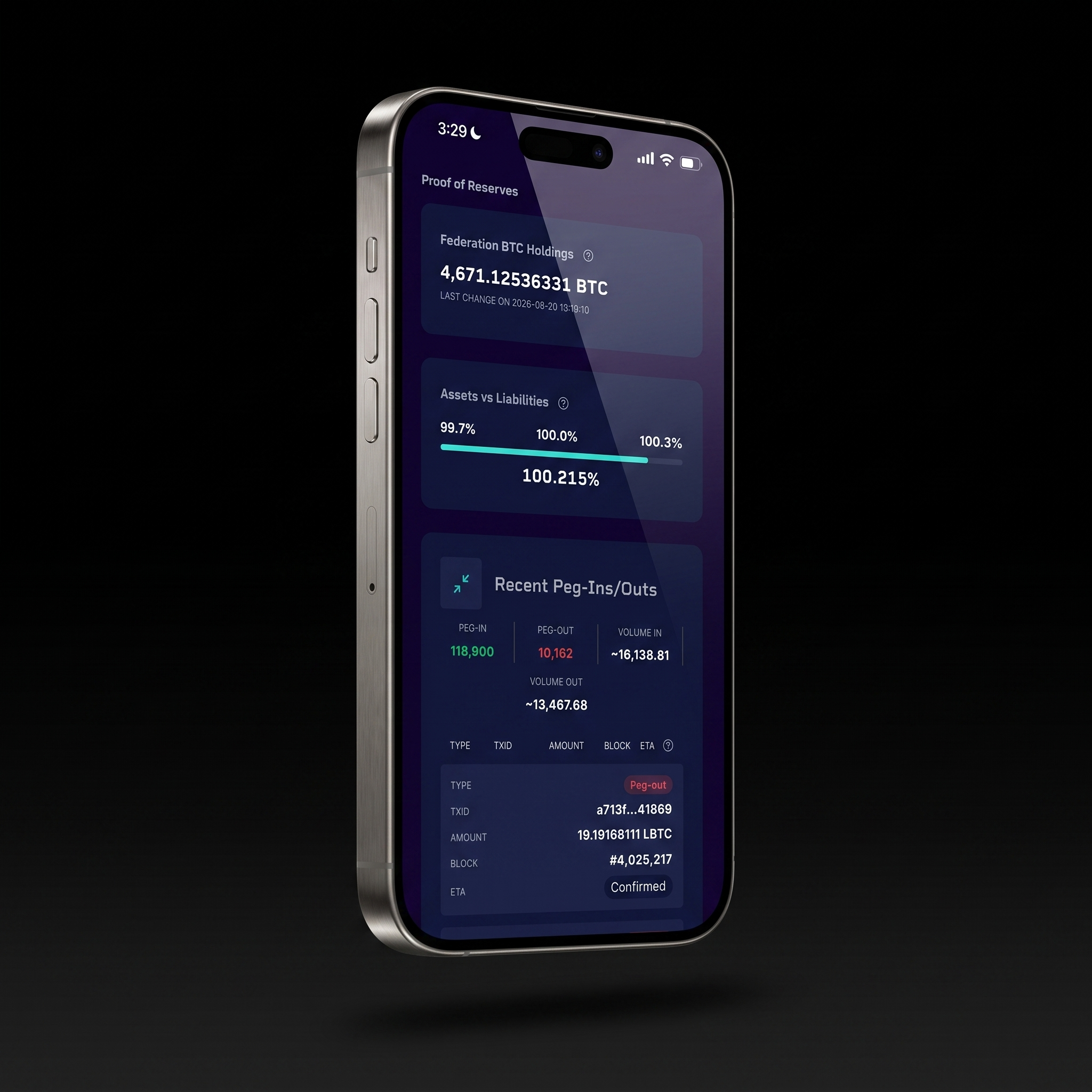
Proof of reserves sits on the same page. The federation's BTC holdings run against the LBTC in circulation as a single percentage, timestamped to the last change, with every recent peg-in and peg-out listed underneath. Anyone can check the backing themselves, whenever they want, without waiting on a report.
Liquid transaction values read as confidential, because they are. Confidential Transactions blind the amount and the asset type to everyone except the sender and the receiver, while the network still verifies that the sums balance.
Those two parties hold the blinding factors, so either of them can unblind a transaction and prove the amount to a third party. An issuer working to a reporting or audit standard can keep positions off the public page and still show an auditor exactly what moved, without publishing it to everyone else.
Liquid block and transaction pages carry the same detail as their Bitcoin counterparts, in LBTC and in issued assets.
Liquid detail runs as deep as Bitcoin's. Simplicity spends are decoded in full: the Simplicity witness data, the program itself, the commitment Merkle root that the Taproot leaf commits to, and the control block that proves it.
Testnets, for Building Without Risk
Both testnets get the full dashboard. Bitcoin Testnet and Liquid Testnet run the same pages, the same analysis and the same API as mainnet, so anything built against test coins behaves the same way when it is pointed at real ones.
Anyone shipping a wallet, an exchange integration or an asset issuance can watch a transaction confirm, check how a fee estimate held up, and see how their outputs look to everyone else, with nothing at stake.
A red banner runs across the top of both, so test funds are never read as real ones.
Build on the Same Data
Every page in the explorer is a view on the Blockstream Explorer API. The same blocks, transactions, addresses, fee estimates, mempool state and Liquid asset data are available to your own application over REST and Electrum RPC, across Bitcoin, Liquid and both testnets.
Wallets and developer tooling already run on it in production. If you are building anything that needs chain data, you get it without standing up and maintaining node infrastructure of your own.
Keys come from the dashboard at dashboard.blockstream.info, and the endpoint reference and plans are at blockstream.info/explorer-api.
What Comes Next
Performance work continues and further gains are in progress. Beyond that: more data sets for Liquid and Simplicity, continued iteration on the pages people use most, and research into enterprise workflows.
Take a Look
Blockstream Explorer is live at blockstream.info, covering Bitcoin, Liquid, and both testnets.
Point it at a transaction you already know, and see what it tells you.